Efficient Way to restore SQL database from bak file in all Windows editions
SQL backup file is an essential file for all database users and administrators. The situation gets quite troublesome when SQL backup is corrupted. As there is no manual way to fix it, the only solution for this problem is to use reliable SQL Backup Recovery Software. It is designed to repair MDF & NDF files of SQL Server Backup. For user comfort, it automatically represents the information present in SQL backup. And supports all SQL versions to meet user's requirements. To save your recovered output you can easily save it at a defined location.
Free Download Purchase NowExplore various scenarios where SQL Backup Repair Tool Online might be needed.
Completely Recover SQL Data
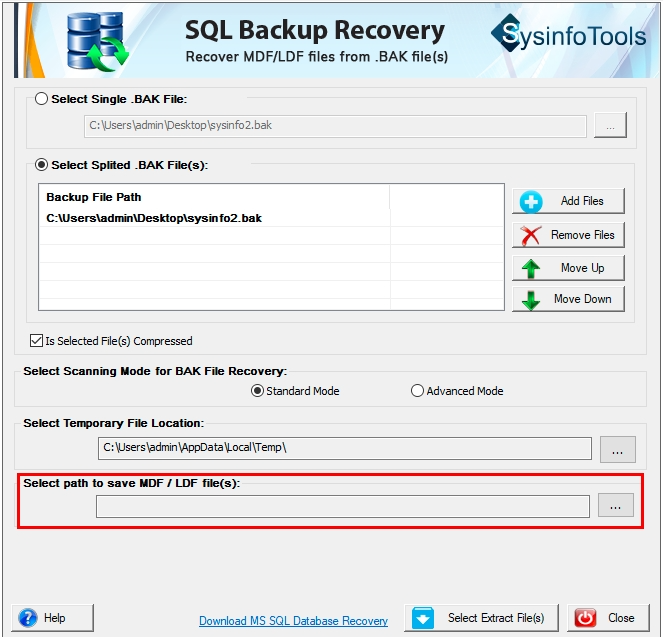
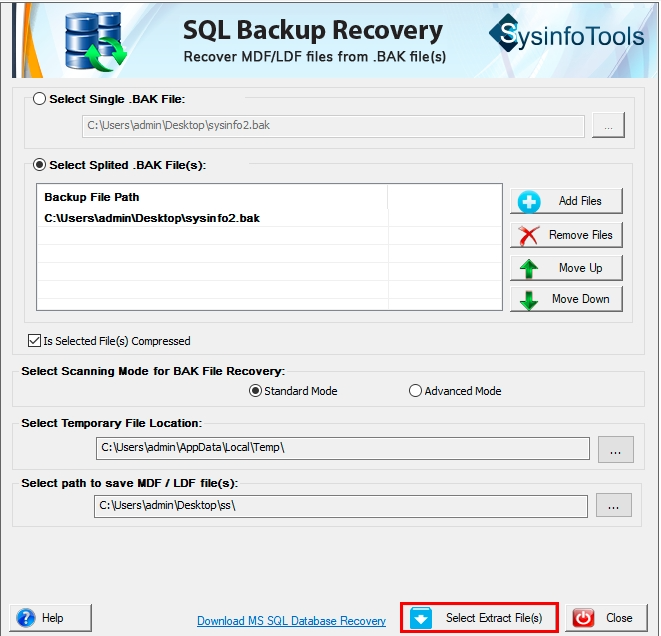
SQL Backup Repair software enables users to restore all types of SQL Server Database files MDF files (primary), NDF files (secondary) & LDF files ( transaction log) files, and users can also save them at a defined location.
Provide Two Scanning Modes
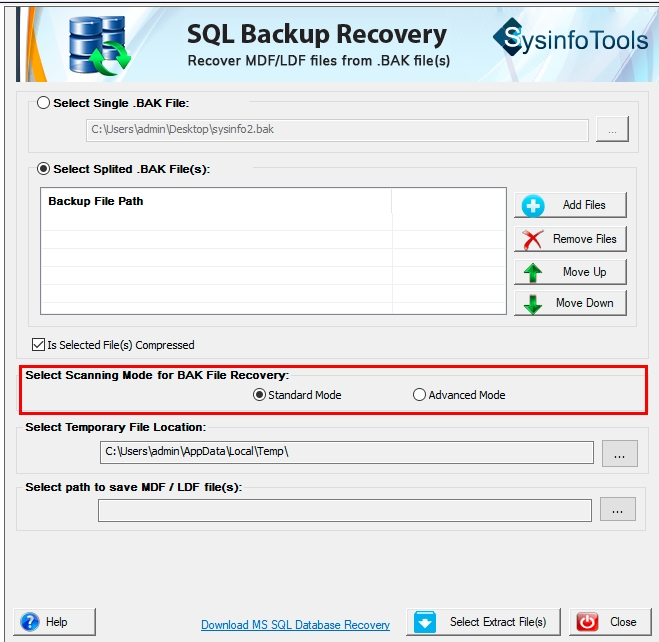
Users can easily restore the SQL database from a bak file using this tool. It provides two scanning modes to deal with different levels of corruption present in SQL backup files. One is Standard & the other is Advanced.
Allow Compressed BAK File
The USP of the software is that it enables you to fix issues when your SQL server backup file is compressed. Without any changes to the SQL Backup file, it gives the desired output in minimum time without any losses.
Compatible with Split BAK File
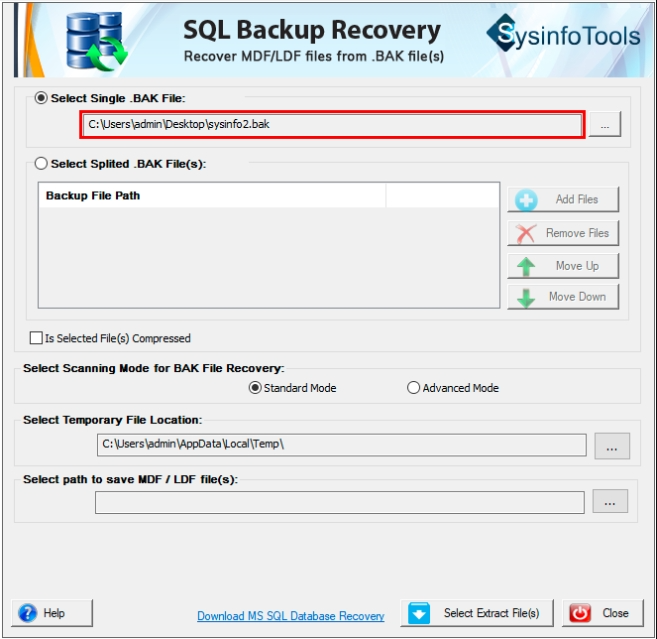
If your SQL Server backup file is divided into many parts. Then to restore SQL Server backup you can opt for Split Backup Files. Select all necessary parts of the bak file in the correct sequence for recovery.
Offer an Auto Display Feature
SQL Backup software auto-detects the file information present in SQL back-ups, like server name, database name, creation date, backup type, backup start and end date, etc. You can save extra effort and time using this tool.
Repair SQL Data Securely
SQL Backup Recovery Software repairs database objects such as triggers, procedures, views, tables, functions, etc. Along with that, it repairs files that are corrupted or damaged. Without any hassle, you can restore data as it is equipped with amazing features.
Server and OS Compatibility
This exceptional tool is fully compatible with (.bak) files created on different SQL versions such as 2005, 2008 R2, 2012, 2014, 2016 & 2022. Also, it works well on all Windows OS versions like the latest Win 11 and earlier 10, 8.1, 8, 7, XP, Vista, etc.
Interactive User-Interface
SQL Backup Recovery Software is made for all types of users. This means for swift recovery of any type of database file, even a novice user can use it efficiently. Also, it is equipped with a user-friendly interface for more efficiency.
| Version: | 24.08 |
| Size: | 1.02 MB |
| Language: | English |
| Edition: | Single, Admin, Technician & Enterprise |
| Processor: | Intel® Core™2 Duo E4600 Processor 2.40GHz |
| RAM: | 8 GB (16 GB Recommended) |
| Hard Drive: | 512 MB |
| Supported Windows: | 11, 10/8.1/8/7/, 2008/2012 (32 & 64 Bit), and other Windows versions. |
Useful Links-
Get an Overview of the Best SQL Backup Repair Tool Download Trail & Paid Version.
| Features Available | Demo Version | Full Version |
|---|---|---|
| Attach corrupted/normal BAK file | ||
| Repair MDF & LDF files | ||
| Repair database objects such as views, procedures, tables, etc. | ||
| Easily export SQL backup data to MS SQL | Preview Only | Save All data |
| Presentable preview of all BAK files | Preview Only | Save All data |
| Compatible with all Windows and SQL versions | ||
| 24*7 Technical Support | ||
| Download and Purchase | Download | Purchase |
Generally asked questions and appropriate answers related to this tool.
To repair the damaged SQL files using the tool, follow these steps:
The SQL database file can be corrupted for multiple reasons including hard drive failure, physical damage, controller issues, data inconsistencies, etc.
The Log report automatically gets saved on the desktop. However, to save it at a particular location, you can specify the bath through the browse (...) button.
You can restore a SQL backup file with the SQL Backup Recovery Software. It provides two different recovery modes as per the corruption. Moreover, you can add multiple split or compressed BAK files at once for the recovery, that too of any size.
The present version of the SQL Server BAK Recovery tool is only compatible with the full backup type.
What Client Says about SQL Backup Repair?
Verified Customer Reviews for the SQL Backup File Recovery Software.
It is an effective tool to fix corruption in your problematic SQL backup files, interrupting the regular workflows. Moreover, it is easy to use and completes recovery within seconds.
- Diane Rosenberg
In just no time, this SQL Backup File Repair Tool recovered all my corrupted SQL .bak files. It has different recovery modes for minor and major corruption and saves the file at the provided location. Overall, it is a complete solution for your corrupt SQL backup files.
- Fabian Kessler
I choose this SQL Backup Recovery Software after trying several trial versions of different recovery tools. It has a high performance, enhanced security, and accuracy in recovering backup files without any losses. It smoothly fixes all the issues and its user-friendly interface is the best part of the software.
- David Norton