-
Written By Shivam Rathore
-
Updated on December 19th, 2025
Step-by-Step Guide to Fix Access Database Error 29072
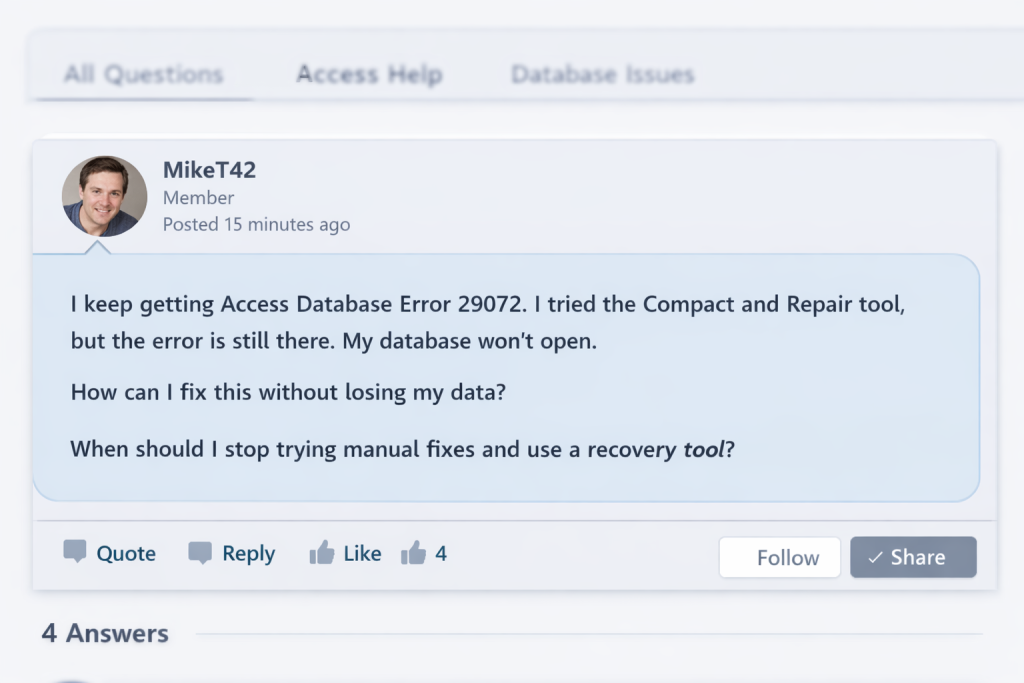
It is essential to fix Access Database Error 29072, which occurs when your database files become corrupted or inaccessible. It occurs due to improper shutdowns, software conflicts, and damaged components. This error stops users from opening or modifying the database. In this blog, we will look at the approaches to fix this error manually or by using the DatabaseFileRecovery SQL Recovery Tool to safely restore your MDF file without losing any data.
Download Now Purchase Now
Why Does Error 29072 in Access Database Occur?
- Firstly, if your MDB or ACCDB files are corrupted, then it can trigger this error.
- If you have different versions of MS Access and Access Runtime in same system. Then there is a chance that they may not work well together.
- Access may fail to load the file if important database parts like forms, reports, and modules are damaged.
- Incomplete or incorrect updates or installations can be the reason for this error.
- If the network connection drops during any operation, the Access database may not update properly.
Manual Methods to Fix Access Database Error 29072
You can try these manual solutions below to repair the Access Database Error 29072:
Method 1: Use Compact and Repair Utility
This method can help you to resolve Access Database Error 29072 by fixing minor corruption issues.
- To begin with, open Microsoft Access.
- Then, click File > Open.
- After that, select the corrupted database.
- At last, click the arrow beside Open and choose Open and Repair.
Method 2: Import Objects into a New Database
This method is used to repair Access Database Error 29072 by bypassing damaged objects.
- Firstly, create a new blank Access database.
- Thereafter, go to External Data > Access.
- At last, import tables, queries, forms, and reports from the corrupted file.
Method 3: Check Access Runtime and Updates
- Make sure you update your MS Access version.
- Then, reinstall the Access Runtime if the error appears in runtime mode.
Limitations:
- The Compact and Repair option may fail if critical tables, forms, or system objects are corrupted.
- Large Access database files take a long time to process.
- Moreover, there is no confirmation that all database components are fully repaired.
Professional Method to Fix Access Database Error 29072
The SQL Database Recovery Tool is useful if your database file is highly damaged and corrupted. It helps you to bring back your tables, queries, forms, and other data without affecting the original data. It reduces the chance of missing data and handles large files more smoothly, which makes the repair process simpler and more dependable.
Steps to Fix MS Access Runtime Error 29072:
- Firstly, download and launch the SQL Database Recovery Tool on your system.
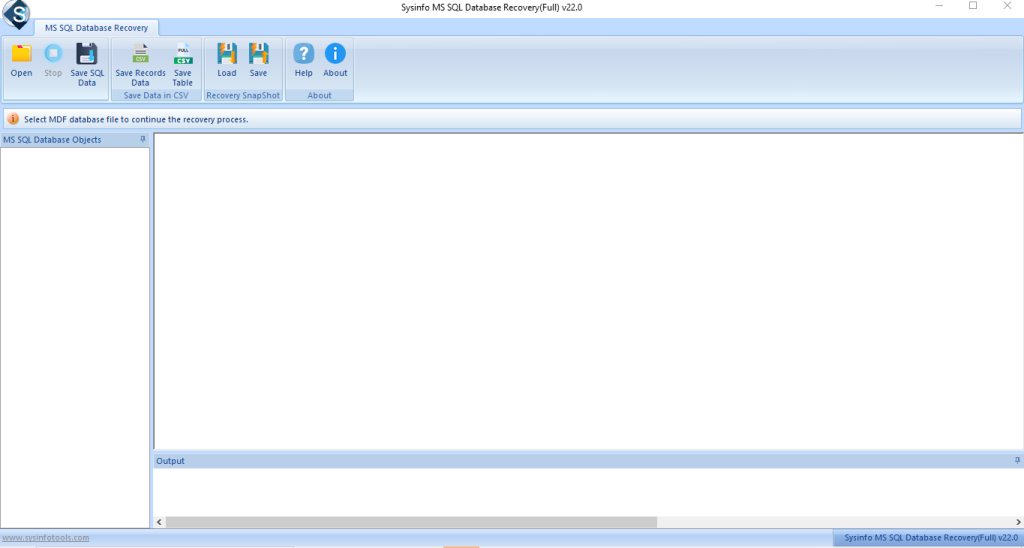
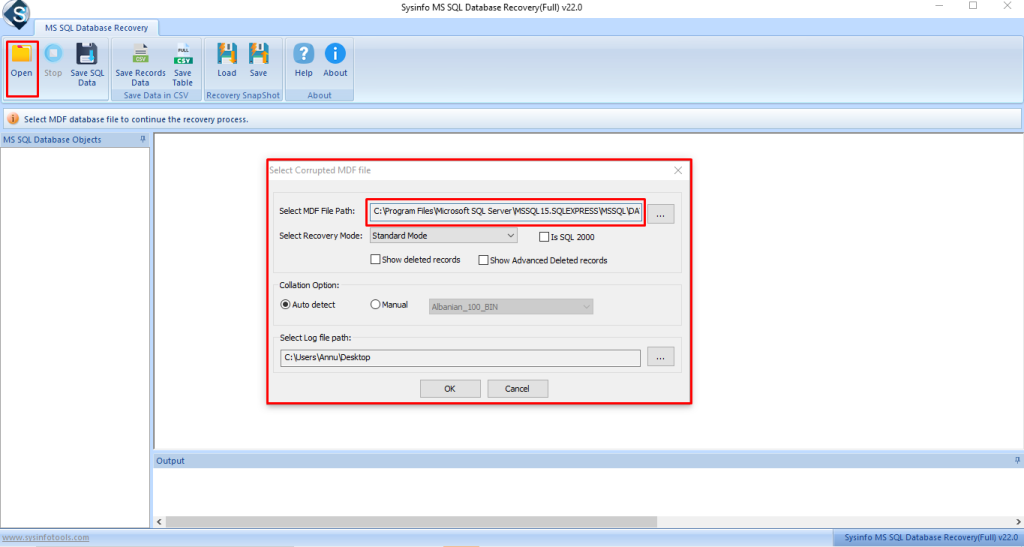
- Then, browse and select the required SQL database file, and click OK.
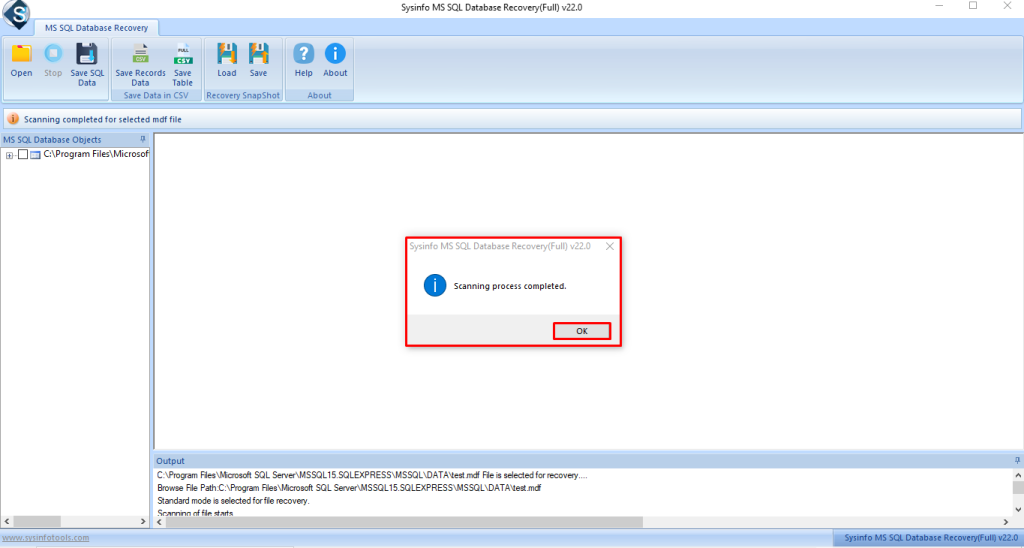
- The tool scans the file automatically. Once the scan is complete, confirm to continue.
- Afterwards, preview the recovered database items in the tree view and click Save.
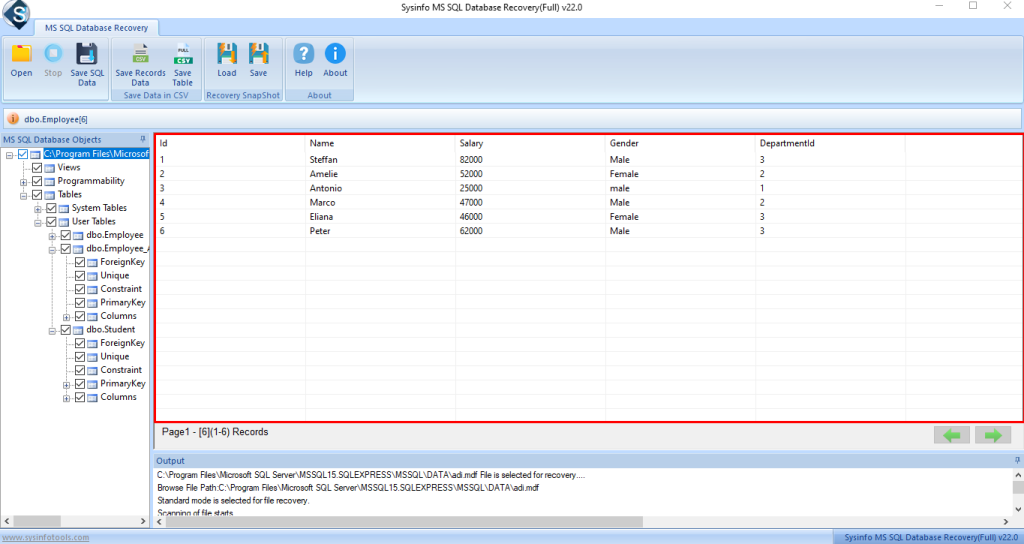
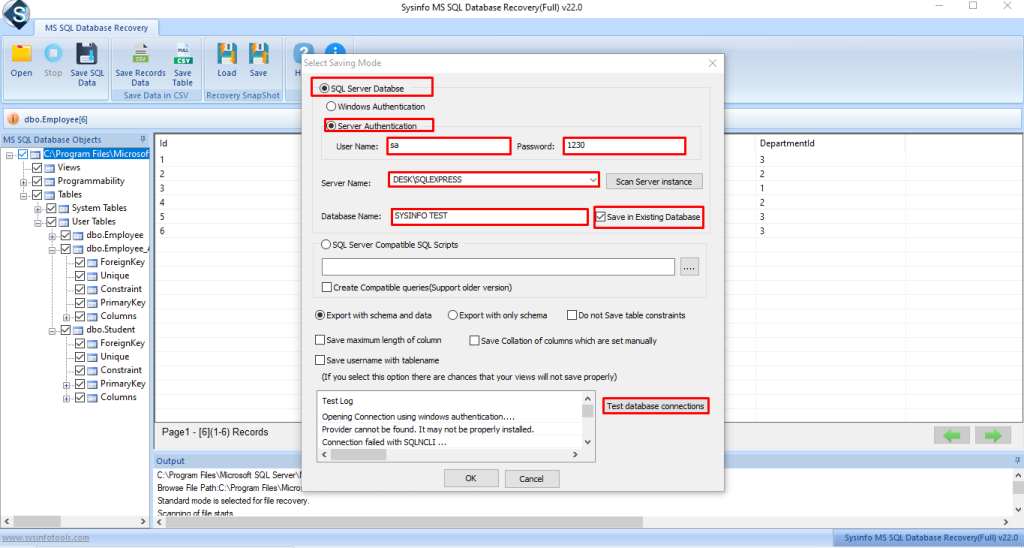
- Thereafter, choose the saving option: SQL Server Database or SQL-compatible SQL scripts.
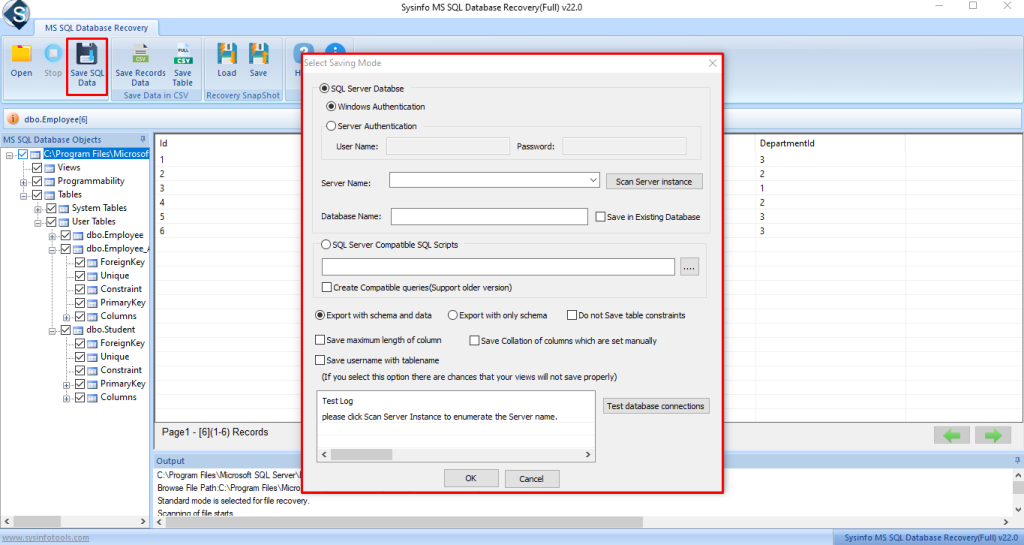
- Select the destination folder and start the saving process.
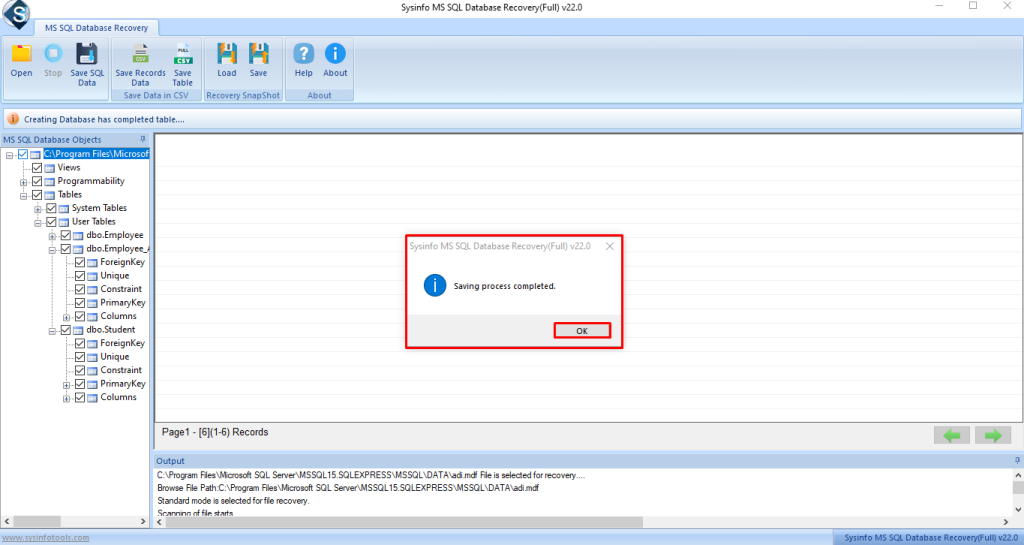
- Finally, a success message appears. Close the tool.
Conclusion
To fix Access Database Error 29072, most users try the basic manual options first. Sometimes that works, but not always. If the database still won’t open or the error keeps showing up, repeating the same steps only wastes time. In those situations, a professional SQL Database Recovery Tool can help get the data back and let you move on without risking more damage.
Frequently Asked Questions
Q1. How can I fix Access Database Error 29072?
Ans: You can start by using the built-in Compact and Repair option in MS Access. If the error continues or the database does not open, using the DatabaseFileRecovery SQL Database Recovery Tool helps repair deeper corruption and restore database objects safely.
Q2. Is it possible to resolve Access Database Error 29072 without data loss?
Ans: Yes, you can fix minor corruption using manual methods. For severe damage, the SQL Database Recovery Tool recovers your data without altering the original structure, which helps prevent data loss.
Q3. Can I repair Access Database Error 29072 in a corrupted ACCDB or MDB file?
Ans: Yes, you can repair both ACCDB and MDB files. If manual fixes fail or the file becomes severely corrupted, the SQL Database Recovery Tool scans your database and recovers tables, queries, forms, and other objects effectively.
About The Author:

Meet Shivam, an experienced SEO executive and content strategist. He combines creativity with strategy to craft engaging content that connects with audiences and supports brand goals. With strong expertise in digital marketing and content planning, Shivam helps businesses thrive online.
Related Post