-
Written By Shivam Rathore
-
Updated on February 5th, 2026
Complete Tutorial to Resolve SQL Server Error 5172
User Query: Facing SQL Server Error 5172 while creating, attaching, or restoring a database? How can I identify the cause and fix it safely?
Through this blog, we have discussed the reasons why this error mainly occurs. It’s one of those errors that looks scary at first, but once you know the cause, it’s very fixable. In this blog, we will go through the steps to resolve SQL Server Error 5172 and use the professional DatabaseFileRecovery SQL Recovery Tool. Additionally, we will learn why it’s helpful. Download Now Purchase Now
Why Does SQL Server Error 5172 Occur?
- The MDF file already connected to another SQL Server instance causes a conflict.
- Also, an invalid or unavailable file path prevents SQL Server from locating the database files.
- Insufficient folder permissions for the SQL Server service account block file access.
How its Helpful to Repair SQL Database Error 5172?
- Restores access to database files without risking existing data.
- Allows normal operations like attach, restore, and data access to resume.
- Minimizes downtime caused by failed database connections.
- Prevents repeated file conflicts during future operations.
- Keeps important MDF and LDF files usable.
- Helps recover inaccessible data when file corruption is involved.
Common Error Messages You May See
Many users notice these messages before they even realize the error number. Some common ones are listed below.
- “The header for the file is not a valid database file.”
- “Cannot open the physical file.”
- “File already exists. Please specify a different file name.”
This will help you to understand and choose the right way to fix SQL Server Error 5172.
When to Use Which Method
|
Situation |
Recommended Method |
|
No file corruption |
Manual method & Recovery Tool |
|
SQL Server is not starting |
Recovery tool |
|
MDF file damaged |
Recovery tool |
|
Small test database |
Manual method |
Manual Approach to Resolve SQL Server Error 5172
Fixing this error works best when the steps are followed in order. The process below helps avoid further file issues and keeps your data safe.
Steps to Resolve SQL Database Error 5172
- Firstly, stop the SQL Server instance that is currently running.
- Then, create a separate backup copy of the existing MDF and LDF files.
- After that, remove the original MDF and LDF files from their current location.
- Thereafter, start the SQL Server instance again.
- Further, create a new database using the same database name and file names.
- At last, close SQL Server Management Studio and replace the newly created MDF and LDF files with the original ones.
Limitations
- Needs technical knowledge of SQL Server file handling.
- Does not guarantee recovery if system catalog entries are damaged.
- Time-consuming when dealing with large or multiple databases.
Automated Approach to Resolve SQL Server Error 5172
DatabaseFileRecovery SQL Recovery Tool is helpful when SQL Server Error 5172 cannot be fixed using manual steps. Often, this error means there is a problem inside the MDF or LDF files, not just with settings or connections. SQL Server needs healthy database files to work properly. When those files are damaged, manual fixes may not work. In such cases, a recovery tool can repair the files, recover available data, and bring the database back without rebuilding it from the beginning.
Steps to Resolve Microsoft SQL Server Header Error 5172
- Firstly, download and run the SQL Recovery Tool.
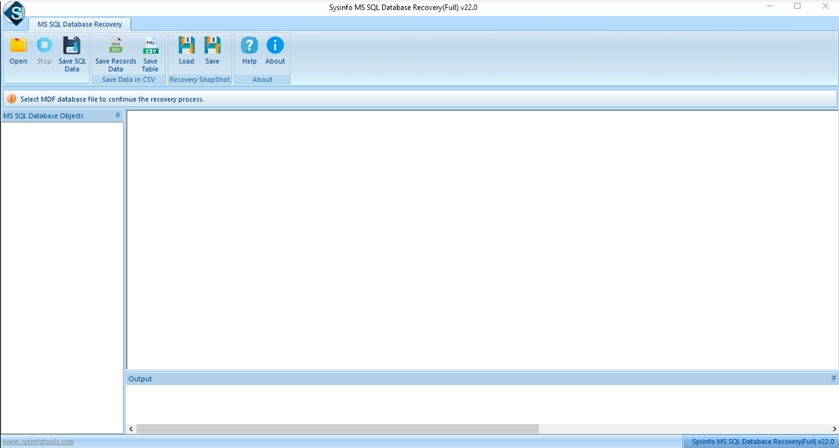
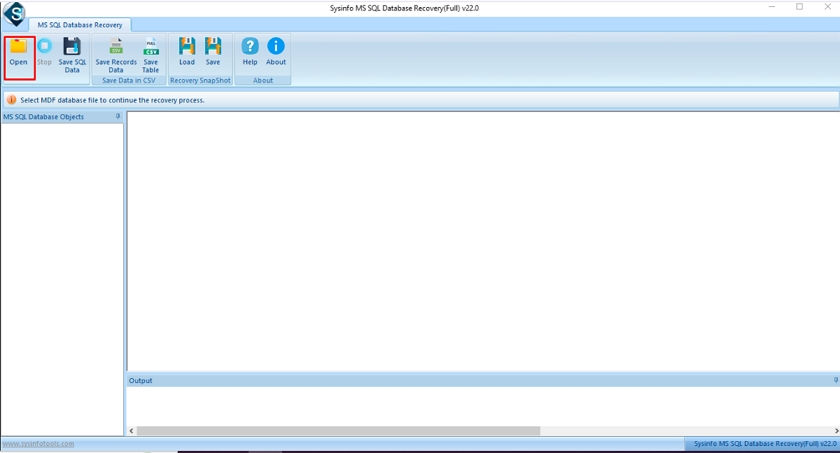
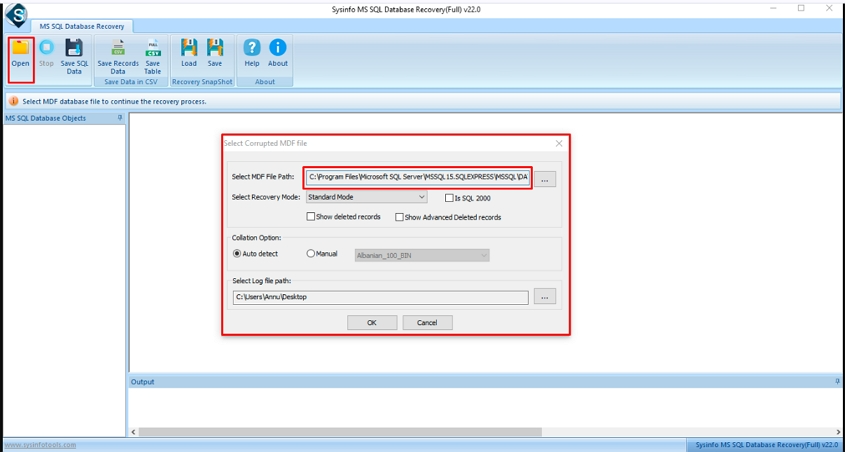
- Then, click Open and select the corrupted MDF file.
- After that, verify that the selected MDF file path is correct.
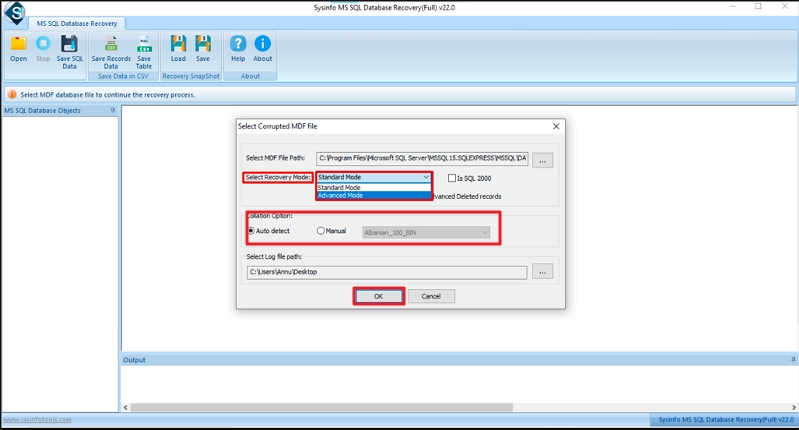
- Further, choose the required recovery mode and collation, then click OK.
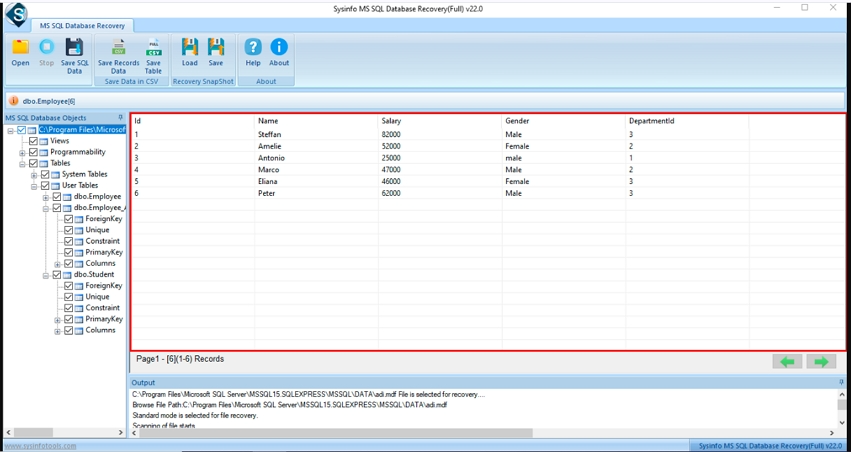
- Preview the database content and select the required database objects.
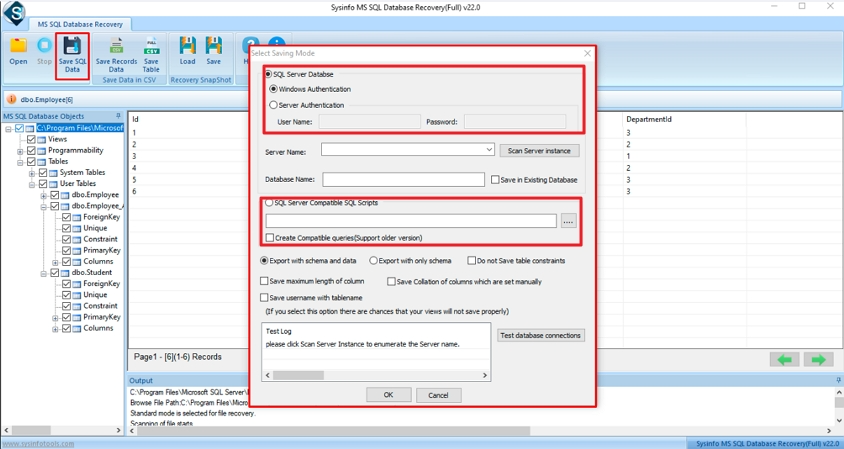
- Choose SQL Server Database or SQL Server Compatible Scripts and go Next.
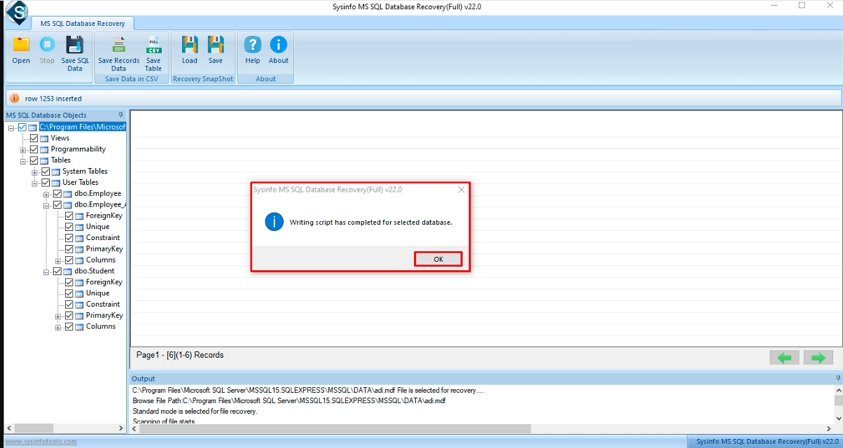
- Finally, click Ok when the confirmation message appears.
Conclusion
To conclude, with the help of this, we tried to tell the ways to deal with error 5172. The steps shared above can help resolve SQL Server Error 5172 in many cases. Sometimes manual fixes work. Sometimes they don’t, especially when database files are damaged. In those cases, a recovery tool can save time and reduce errors. Taking care of these things helps keep your SQL database running properly.
Frequently Asked Questions
Q1: Can I fix SQL Server Error 5172 without losing data?
Ans: Manually, there is a high chance of losing data, as it is a very technical process. Instead of manual, you can use the professional DatabaseFileRecovery SQL Recovery Tool to avoid data loss.
Q2: What is the safest method to resolve SQL Server Error 5172?
Ans: Using the advanced utility called SQL Recovery Tool from DatabaseFileRecovery is the smart and safest way to resolve this error.
Q3: How can I prevent SQL Server Error 5172 in the future?
Ans: You can reduce the chances of SQL Server Error 5172 by keeping your database files organized and following basic precautions. Always use unique names for MDF and LDF files, and avoid placing them in folders where files already exist.
Q4: Are third-party SQL recovery tools recommended for Error 5172?
Ans: The DatabaseFileRecovery SQL recovery Tool is expert recommended solution to resolve SQL Server Error 5172. It has a secure feature that avoids data corruption and keeps things intact.
About The Author:

Meet Shivam, an experienced SEO executive and content strategist. He combines creativity with strategy to craft engaging content that connects with audiences and supports brand goals. With strong expertise in digital marketing and content planning, Shivam helps businesses thrive online.
Related Post