SQLite Reader Software

Easy way to view and read SQLite database files and folders.

Rated (4.5 out of 5) by 887 Customers

SQLite Database File Reader is a trouble-free way to open and view SQLite files. Functionalities of the tool support normal as well as corrupted SQLite Database files. Its fast scanning feature allows users to scan all the SQLite files & have a view of SQLite database objects such as tables, triggers, indexes, etc. With this SQLite Viewer, users can easily open and view an unlimited number of SQLite database files. It is a reliable solution to read unlimited SQLite db files and objects.

Free Download   Purchase Now
  • SQLite db viewer opens and views SQLite files smoothly.
  • Supports both UNICODE (UTF-16) as well as ANSI (UTF-8) characters.
  • Enables users to view unlimited SQLite database files without size limitations.
  • Users can easily find SQLite files via the search and preview option.
  • Free SQLite viewer quickly scans all the corrupt, damaged, or active SQLite db files.
  • The interactive interface of the SQLite File Viewer makes it easy to use.
  • View SQLite objects as well such as tables, triggers, procedures, etc.
  • Supports all the SQLite and Windows OS versions, earlier or latest.
Features

Notable Features of SQLite Reader Software

Explore the exclusive and unique features that make SQLite online an ideal choice.

free

Free SQLite File Viewer

Via SQLite Viewer, you can easily scan all the files. No matter the condition of the SQLite file, it delivers results quickly, i.e., it is an ideal solution to view normal and corrupt SQLite database files and objects.

file formate

No SQLite File Size Constraint

There is no limitation on the size of the SQLite file. Without any restriction, this SQLite Reader enables users to view SQLite files in minimum time. It is a perfect way to view SQLite files, irrespective of the size of the file.

search

Search & Preview Available

A search and preview feature is available in this SQLite database viewer so that users can easily open and view files and objects. By using this advanced feature, users can find and read SQLite files smoothly.

database

All Database Files Support

The SQLite Viewer Software supports all types of SQLite files. Either it is a UTF-16 Unicode file or a UTF-8 ANSI database file. It can be opened without any hassle and all the contents can be extracted feasibly from the file.

preview

Preview Complete SQLite Data

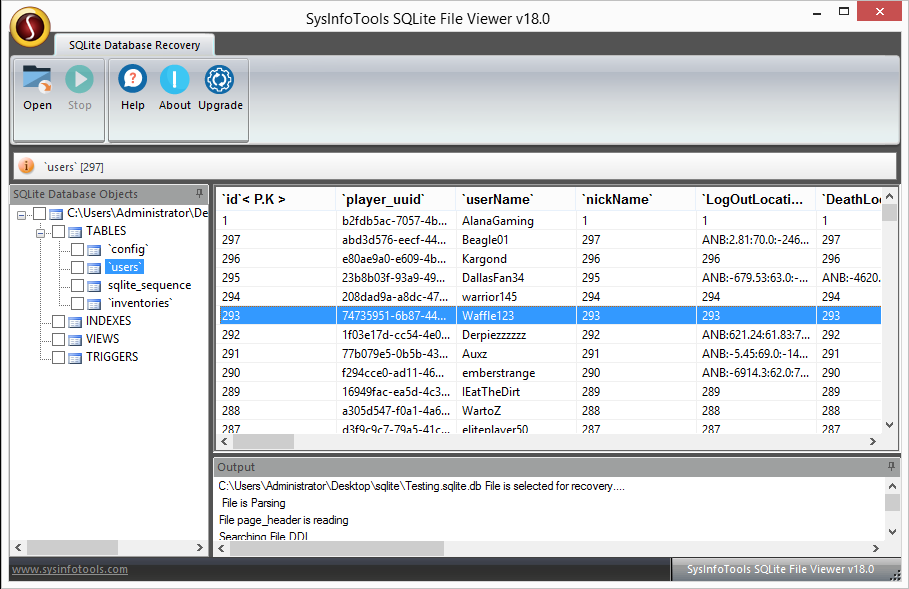
With this software, users can easily check all the data present in the SQLite files and folders. Generally, it contains tables, procedures, rules, triggers, indexes, views, and columns. It displays them in original form without alterations.

scanning

Scan SQLite Files Instantly

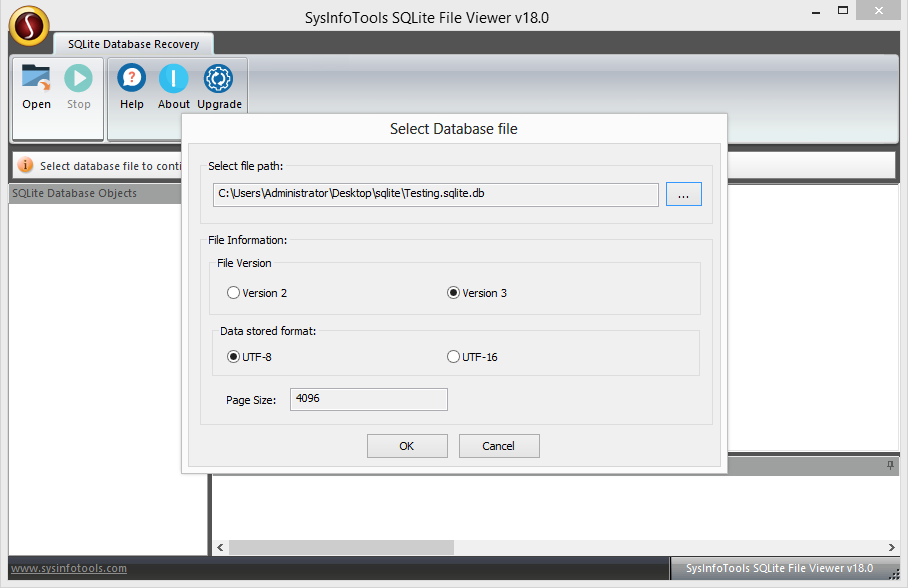
SQLite File Viewer Tool is one of the best database viewers that helps to quickly scan the added file at a fast speed. Also, after the scanning, it displays file information like file version, data stored formats, and page size in the displayed window.

user friendly

User-Friendly Interface

Any tech or non-tech user can easily view the SQLite database file, as the Graphical User Interface of the SQLite Reader is user-friendly. Users don't need to be experts. With just a few clicks, the user can view the SQLite file and objects.

compatible

Supports OS Versions

This SQLite Manager is programmed to scan and view corrupt SQLite database files and objects in all SQLite versions i.e. SQLite 2 and SQLite 3. It is also compatible with all Windows editions as well, including the latest one i.e. Windows 11.
Screenshots

SQLite Reader Screenshot

To view full software guide, Click Here

Specs

Software Specifications

Version: 24.08
Size: 2.4 MB
Language: English
Edition: Single, Admin, Technician & Enterprise
Processor: Intel® Core™2 Duo E4600 Processor 2.40GHz
RAM: 8 GB (16 GB Recommended)
Hard Drive: 512 MB
Supported Windows: 11, 10/8.1/8/7/, 2008/2012 (32 & 64 Bit), and other Windows versions.
Trial Limitation: The trial version of the software allows you to only preview and scan the recovered data. To save or export the recovered data, you need to purchase the full version of the tool.
Comparison

Difference Between SQLite Reader Free & Full Version

Demo & Licensed Version comparison of features of SQLite Viewer Download.

Features Available Demo Version Full Version
Open SQLite Files
No MS SQL Requirement
Preview SQLite Objects: rules, indexes, tables, etc.
Easily preview corrupt SQLite files
Save & Export in MDF/MDB file format Only Preview
Compatible with all SQLite and Windows versions
24*7 Technical support
Download and Purchase Download Purchase
Faq

Frequently Asked Questions

Get to know the questions and their solutions related to this software.

To view the files, follow these steps:

  1. Launch the SQLite Reader on your system as an administrator.
  2. Click Open from the taskbar and press (...) to add the SQLite db file.
  3. Check the file information and then, click OK to initiate file scanning.
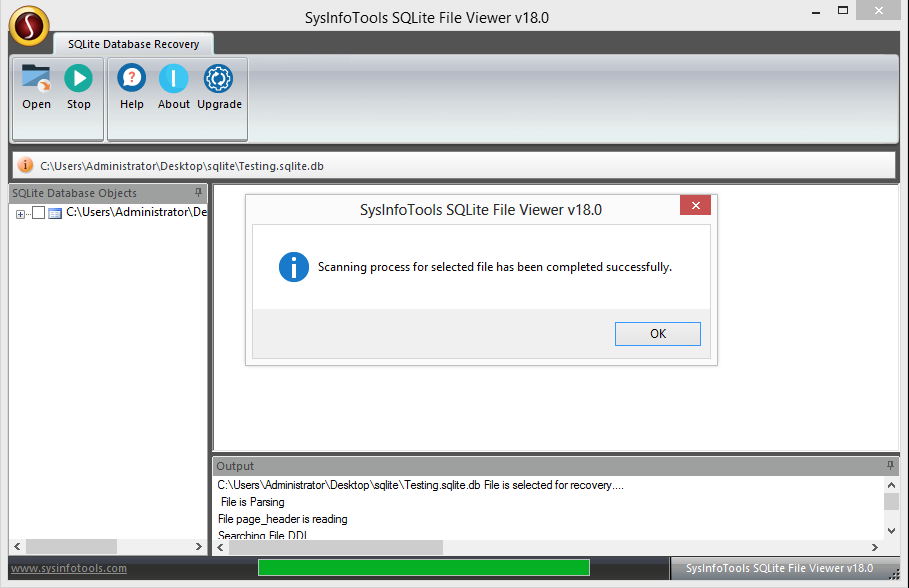
  4. Once the scanning is completed, select files from the tree structure to preview.
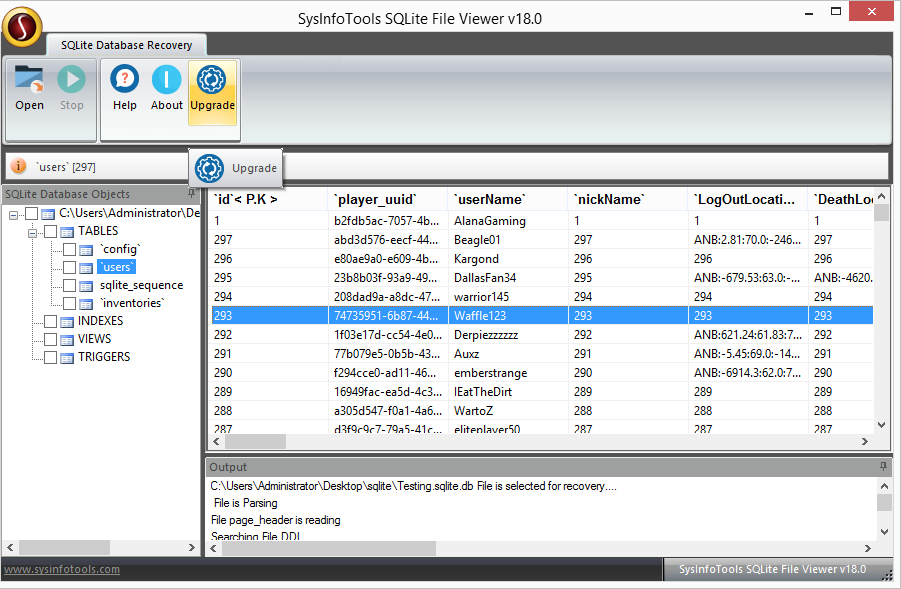
  5. Lastly, if you need to save these SQLite files, click the Upgrade button.

No, there are no file size limitations in the software. It is capable enough to handle large files and gives you recovered SQLite file in minimum time.

Yes, you can easily do this by simply double-clicking the desired field in the preview panel. Further, to learn better about the working you can use the demo version of the software.

No, the demo version of the SQLite Reader doesn’t provide this feature. To save the files in another format, you need to upgrade to the full version.

Yes, you can view any type of SQLite file with this SQLite Viewer Software. Either it is in UNICODE or ANSI format, corrupt, damaged, or healthy. Even the SQLite version 2 and 3 files are supported without any restrictions.

Testimonials

What Client Says about SQLite Reader?

Verified Customer Reviews for the SQLite Download View and Read Software.