Needed Solution for Suspect SharePoint Server Recovery to Restore Data
SharePoint Server is prone to crashes and other severe issues like corruption. Sometimes corruption may result in permanent data loss. Being a smart user, you must perform SharePoint Data Recovery in order to prevent data loss situations. It has two options: Complete Database Recovery or Document Recovery. This prominent tool is designed to repair the SharePoint Server database and to restore SharePoint Server data without any hassle. Via this software, you can recover SharePoint data from the corrupt database files with utmost accuracy. Additionally, it contains a smart and interactive GUI that requires no prior technical expertise. Moreover, you can download a demo version for free evaluation purposes.
Free Download Purchase NowHere are some scenarios where a backup SharePoint database is an optimum choice.
SharePoint Recovery Options
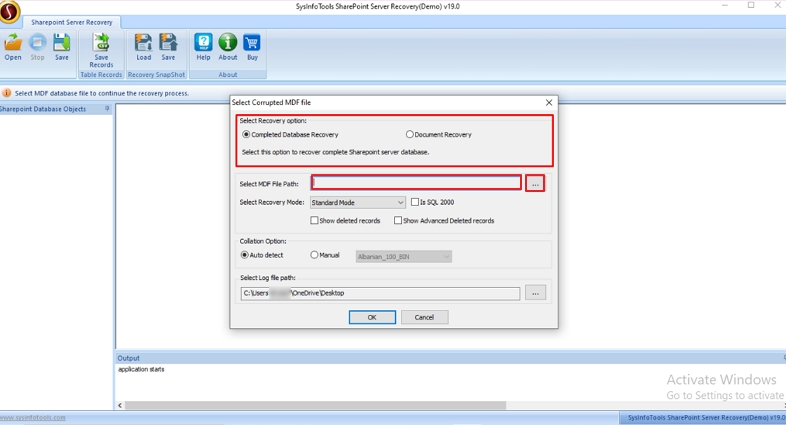
The SharePoint Server Recovery Software provides a "Document Recovery" and a “Complete Database Recovery” option. With these recovery options, you can recover complete documents and entire data from the SharePoint Server.
Enable Collation Option
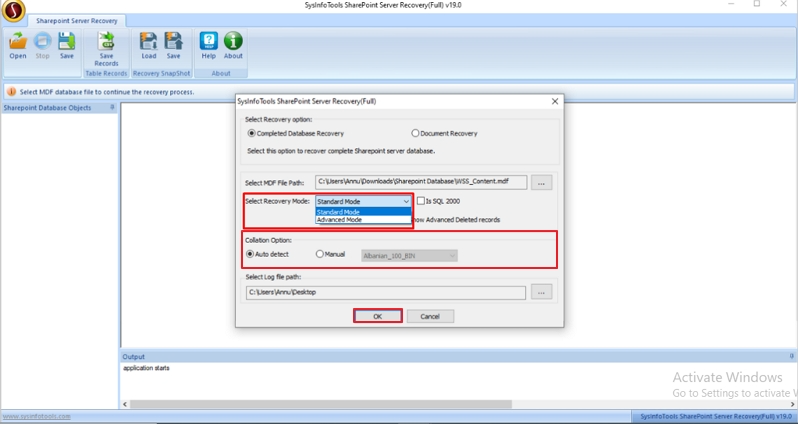
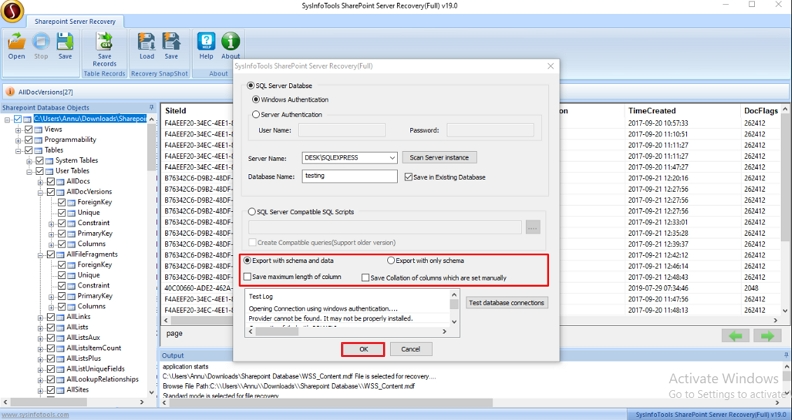
Since SQL Server saves database files with a particular collation type, the Collation option in this SharePoint restore tool will be helpful for you. You can either choose the auto-detect option or you can define a collation type manually for your database.
Smart & Quick Scanning
Advanced Sharepoint Recovery Tool is designed to quickly scan the corrupt database smartly. Being a non-destructive tool, it causes no alteration or changes during the scanning process. Moreover, you need no prior technical expertise to operate it.
Two Recovery Modes
For SharePoint database recovery, there are two recovery modes: Standard for minor corruption and Advanced for severe corruption. You can choose either of the recovery modes depending on the severity of the corruption in your SharePoint database.
Smart Database Preview
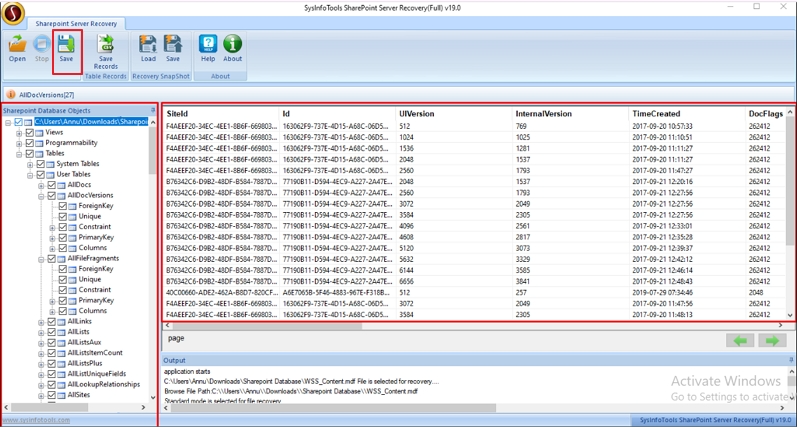
After a successful scanning of the corrupt database, you can check the preview of your data which you can recover from the database. The data preview is shown in a tree-structure format. Simply, expand the folders individually to see what to recover.
Deleted Records Preview
If you want to see the preview of deleted records, there are two options to opt for before scanning the SharePoint database: "Show deleted records" and "Show advanced deleted records". It will show deleted data in the SharePoint MDF file.
Log File Generation
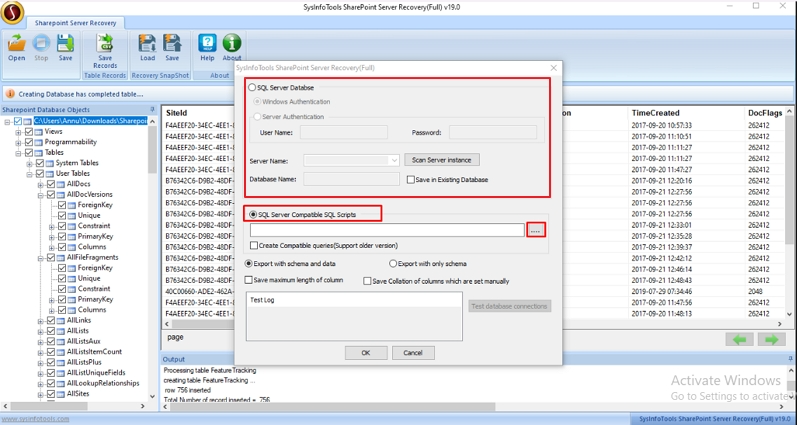
With this SharePoint Recovery, you can specify a location to save recovered data. Further, the tool automatically creates a log file in TXT format at the location defined. The log file stores complete information on SharePoint Server recovery.
Supportability & Compatibility
This SharePoint Database Recovery Tool supports the MDF database created by any version of Microsoft SharePoint Server and SQL Server. Also, it runs smoothly on all Windows-based operating systems including the latest Win 11.
| Version: | 24.08 |
| Size: | 1.9 MB |
| Language: | English |
| Edition: | Single, Admin, Technician & Enterprise |
| Processor: | Intel® Core™2 Duo E4600 Processor 2.40GHz |
| RAM: | 8 GB (16 GB Recommended) |
| Hard Drive: | 512 MB |
| Supported Windows: | 11, 10/8.1/8/7/, 2008/2012 (32 & 64 Bit), and other Windows versions. |
Useful Links-
Overview of the features you get with the SharePoint Database Recovery Tool Download.
| Features Available | Demo Version | Full Version |
|---|---|---|
| Complete Database & Document Recovery | ||
| Two Recovery Modes | ||
| Available preview of the deleted record and recovered data | ||
| Enables to define Collation type | ||
| Create a Log file of the SharePoint Recovery | ||
| Save recovered output | Only Preview | |
| Windows system, SQL, and SharePoint Server compatibility | ||
| 24*7 Technical support | ||
| Download and Purchase | Download | Purchase |
Common user queries and answers related to the SharePoint Database Recovery.
Yes, you can seamlessly recover your corrupted MS SharePoint files with this software. It provides a Standard and Advanced recovery mode depending on the severity of corruption. You can choose either one to fix the corruption and restore your data.
No, there is no limitation on the file size of the SharePoint Server Database. You can add multiple large files of any size into the tool and recover them.
Yes, the SharePoint Restore software can recover all the database items, even the deleted records easily and quickly without any hassle.
Complete Database Recovery refers to the recovery of all the items in the database including files, libraries, sites, attachments, etc. Whereas, Document Recovery refers to recovering all the documents present in the database, existing or deleted.
Generally, the Log File is located on the desktop. However, you can change its location by simply clicking on the browse (...) button and specifying your desired location.
What Clients Say About SharePoint Server Database Recovery?
Verified Customer Reviews for the Best SharePoint Restore Tool.
I will strongly recommend you opt for the best tool to restore the crucial data and important files that are stored on your SharePoint server. I believe this software is one of the best and most secure utilities with accurate results.
- John Doe
This software is smartly developed with amazing features and an attractive GUI that any new user can also operate since no technical knowledge is required. I would suggest this SharePoint Restore Tool to my friends and colleagues.
- Oliver
The SharePoint Recovery is built in such a unique manner that it helped me restore about 1 TB MDF files without any manual efforts, and that too within seconds. I am very happy with this amazing software.
- Mike