Repair and Restore File Content From Corrupt MySQL Database
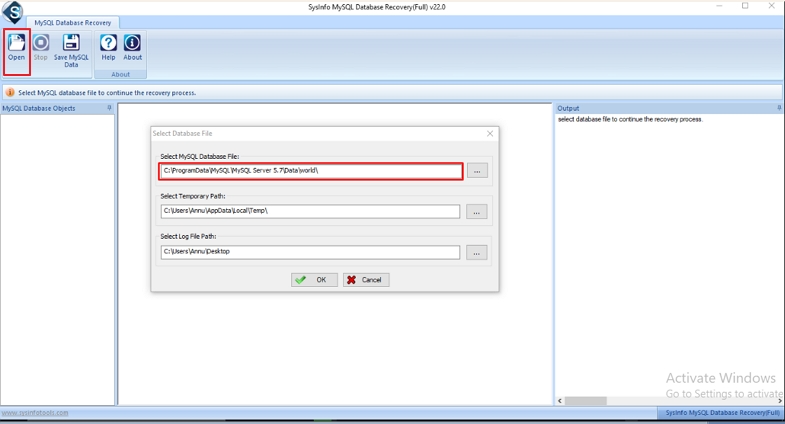
MySQL Database becomes inaccessible whenever there is any type of interruption in the objects that leads to corruption in MySQL database. This high-end recovery software provides the feasibility to recover and save the data in the form of a script or as a fresh database. Along with that, it is embedded with an interactive interface so that any user can use it proficiently. MySQL Database File Recovery Software enables the user to perform swift recovery without any difficulty. Moreover, by using this recovery tool there are fewer chances of getting error messages.
Free Download Purchase NowExplore the unique features of the Best MySQL Database Recovery Tool.
Repair MySQL Database
Advanced solution to Repair/Recover Corrupted MySQL Database. Overall it is designed to repair table properties, and keys of MyISAM & InnoDB store engines present in MySQL Database. With, a few keystrokes and clicks a user can recover and save the important data present in the MySQL Database.
Presentable Data Preview
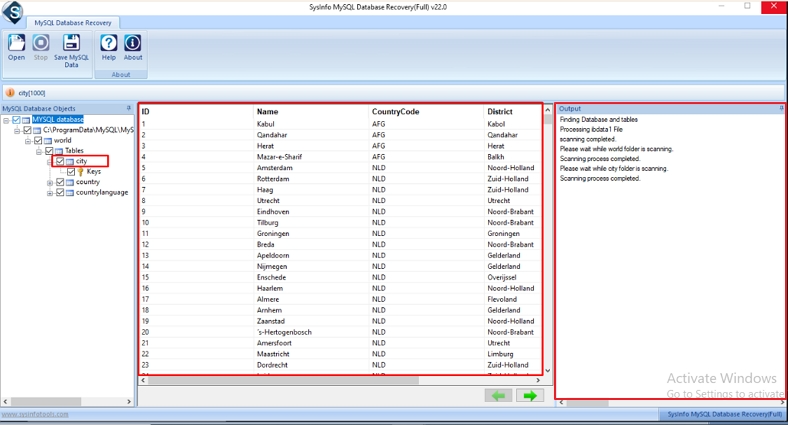
After the successful completion of the scanning process, the user can preview the database objects in a tree-structured format. For advanced preview, the output content of the MySQL Database Recovery Tool is shown separately in the list control of Windows.
Fix MyISAM and InnoDB Tables
It fixes and recovers tables present in both store engines (MyISAM and InnoDB) of MySQL database Mainly, the MyISAM table consists of MYI, MYD, and FRM files and InnoDB consists of IBDATA, IDB, and FRM files which this MySQL Data Recovery Tool fixes easily and quickly.
Save recovered Data as Database
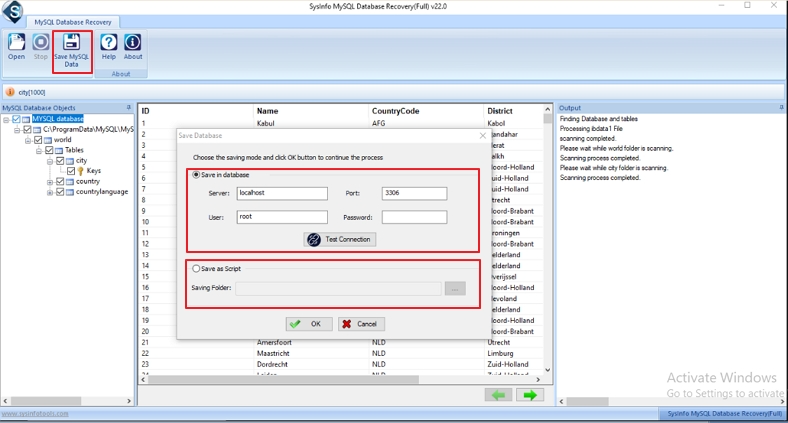
MySQL Database Repair software provides an option to save recovered data in all new MySQL databases. To do so, the user has to provide necessary information like port, username, password, and server name and then, test the connection in order to perform the desired action.
Save Recovered Data as Script
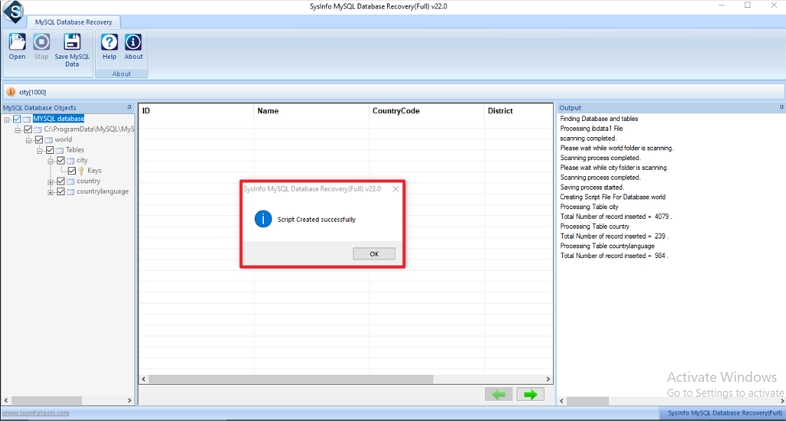
Along with the new database, the user can save the recovered data in the form of MySQL Scripts at the user-defined location. Users can browse through and select a location of their choice to save the recovered MySQL data using the best MySQL Database Recovery Tool.
Support MySQL Linux Database
This software fixes MySQL database files present in Linux OS. Simply transfer database files and folders from Linux to Windows OS for a successful MySQL Database file recovery. Also, it helps to fix MySQL Error 1045 which may be encountered while accessing Linux files in Windows.
User-friendly interface
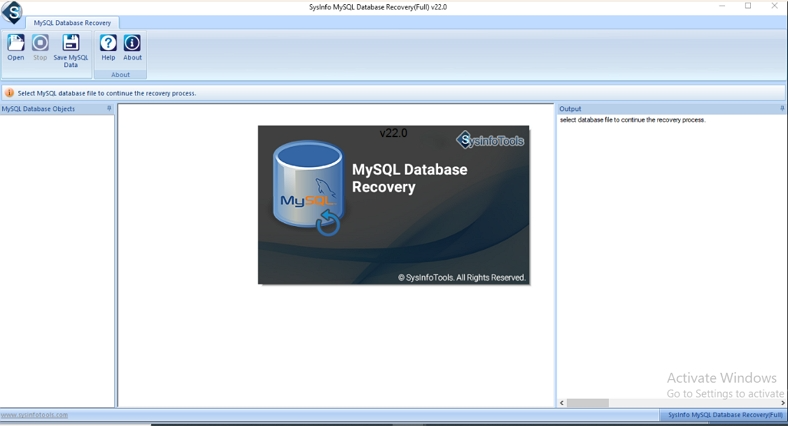
MySQL database repair tool is equipped with an interactive and detail-oriented interface so that any user can use this software very easily without any interruption. Moreover, it can easily be operated by any tech or non-tech user without technical knowledge.
System Compatibility
The MySQL Backup and Restore Tool recovers corrupt database files created in MySQL version 8.x, 6.x, 5.x, 4.x, and 3.x. The software can be safely and easily installed and run on Windows 11, 10, 8.1, 8, 7, Vista, and XP. It also fully supports Windows SQL Server 2022, 2012, 2008, and 2003.
| Version: | v24.08 |
| Size: | 2.2 MB |
| Language: | English |
| Edition: | Single, Admin, Technician & Enterprise |
| Processor: | Intel® Core™2 Duo E4600 Processor 2.40GHz |
| RAM: | 8 GB (16 GB Recommended) |
| Hard Drive: | 512 MB |
| Supported Windows: | 11, 10/8.1/8/7/, 2008/2012 (32 & 64 Bit), and other Windows versions. |
Useful Links-
Find out the comparison of the Trial and Paid versions of the MySQL Database Recovery Tool.
| Features Available | Demo Version | Full Version |
|---|---|---|
| Repair & Restore MyISAM & InnoDB tables | ||
| Preview repaired data | ||
| Fix views, tables, keys, etc. | ||
| Save recovered data in all new Database | Only Preview | |
| Save recovered data as Script | Only Preview | |
| Windows OS and MySQL all versions compatibility | ||
| 24*7 Technical Support | ||
| Download and Purchase | Download | Purchase |
Get to know the questions and their solutions related to this software.
To recover a corrupt MySQL database, follow these steps:
To see the recovered databases on your system, use the MySQL Repair Tool and select the Save as Scripts option to specify a location of your choice. Later, go to your specified destination and easily view your data.
The MySQL Database Recovery free version only allows to preview the data. To save the data in a new database or as scripts on the system, buy the full version.
This MySQL Database repair software is designed and programmed to fix any
level of issue and corruption in the MySQL Database. Some of the
most common error messages which our users get:
MySQL Error 144: The table
crashed and the last repair failed.
MySQL Error 136: No more room in the
index file.
MySQL Error 126: Index file is crashed/ wrong file
format.
MySQL Error 134: The record was already deleted.
MySQL
Error 1064: Syntax error in the SQL
Query.
Without any trouble, you can fix it all.
Users need to turn off the Antivirus while installing the MySQL Database Recovery Tool for protection or in case they encounter any external errors while downloading.
What Clients Say About MySQL Database Recovery Software?
Verified Customer Reviews by our clients for the MySQL Database Recovery Tool
The MySQL Database File Recovery Tool is an amazing utility to fix SQL errors and repair and restore data from the MySQL databases within seconds.
- Mauro Horner
This MySQL Recovery Tool helped me a lot to recover my database files and restore my InnoDB tables. Also, it saved my data on the system, and have access to it now all the time. I am really happy with this easy-to-use software.
- Zoe Lang
Amazed by the superb performance, user-friendly interface, interactive GUI, and security that this MySQL Database Recovery Tool offers. Moreover, it maintained my data folder structure even after the download. It has proved a very effective tool for me.
- Tim Campbell