MDB Reader

Free MDB Database File Content Viewer & Reader

Rated (4.9 out of 5) by 1090 Customers

Database File Recovery MDB Reader is a one-stop solution for accessing and viewing the contents of your Microsoft Access Database (MDB) files. This ultimate tool allows users to open, read, and analyze MDB database files without requiring Microsoft Access installation. Moreover, this user-centric software displays a preview in the correct tabular format and proper order.

Free Download   Purchase Now
  • The MDB file viewer online allows a frictionless preview of both MDB and ACCDB files.
  • Open and view both healthy and damaged Access database files effortlessly.
  • Preview large MDB files without any size limitations.
  • Automatically identifies the version of the selected MDB or ACCDB file.
  • View system tables and delete records from Access databases.
  • Offers two scanning options to handle and view corrupt database files.
  • Supports MDB and ACCDB files from MS Access versions 2019, 2016, 2010, and more.
  • Freely MDB/ACCDB Viewer, available for download anytime and anywhere.
  • Intuitive and interactive GUI for expeditious file viewing.
  • Compatible with all Windows versions, including the latest Windows 10.
Features

Exclusive Attributes of MDB File Reader

Understand the main functions of Free MDB Viewer in detail

mdb

Read and Open MDB Files

This MDB viewer tool Applies an advanced algorithmic architecture that facilitates effortless access and visualization of database files without requiring Microsoft Access installation. This proprietary engine enables direct interpretation of database structures while maintaining data integrity.

mdb to accdb

MDB & ACCDB File Integration

The MDB Reader software has extensive support for both JET Engine (MDB) and ACE Engine (ACCDB) file formats. Its reliable parsing capabilities enable access to both intact and compromised database files. It supports the files across multiple Microsoft Access versions, including 2016, 2013, 2010, 2007, and 2003, ensuring backward compatibility.

database

Large MDB Databases Opener

This MDB Opener utility architecture employs dynamic memory allocation and efficient resource management, eliminating traditional file size constraints. This engineering approach enables the processing of extensively large databases, with limitations governed solely by available system resources rather than artificial restrictions.

scanning

Accelerated Scanning

This MS Access viewer utilizes multi-threaded processing and optimized scanning algorithms. Moreover, the application achieves superior viewer performance metrics in database analysis. The implementation of intelligent caching mechanisms and streamlined read operations ensures rapid file processing while maintaining precision and data accuracy.

interactive user interface

Dynamic User Interface

This MDB / ACCDB Viewer features an intuitive graphical user interface built on modern design principles. This sophisticated yet accessible interface architecture eliminates the complexity traditionally associated with database management tools. It also enables efficient operation regardless of technical expertise.

compatible

Exceptional Compatibility

The free MDB Viewer demonstrates extensive compatibility across the Microsoft Access ecosystem. Therefore, it supports all versions of MDB and ACCDB file formats. Furthermore, it maintains optimal performance across various Windows operating system environments, supporting both 32-bit and 64-bit architectures.

Screenshots

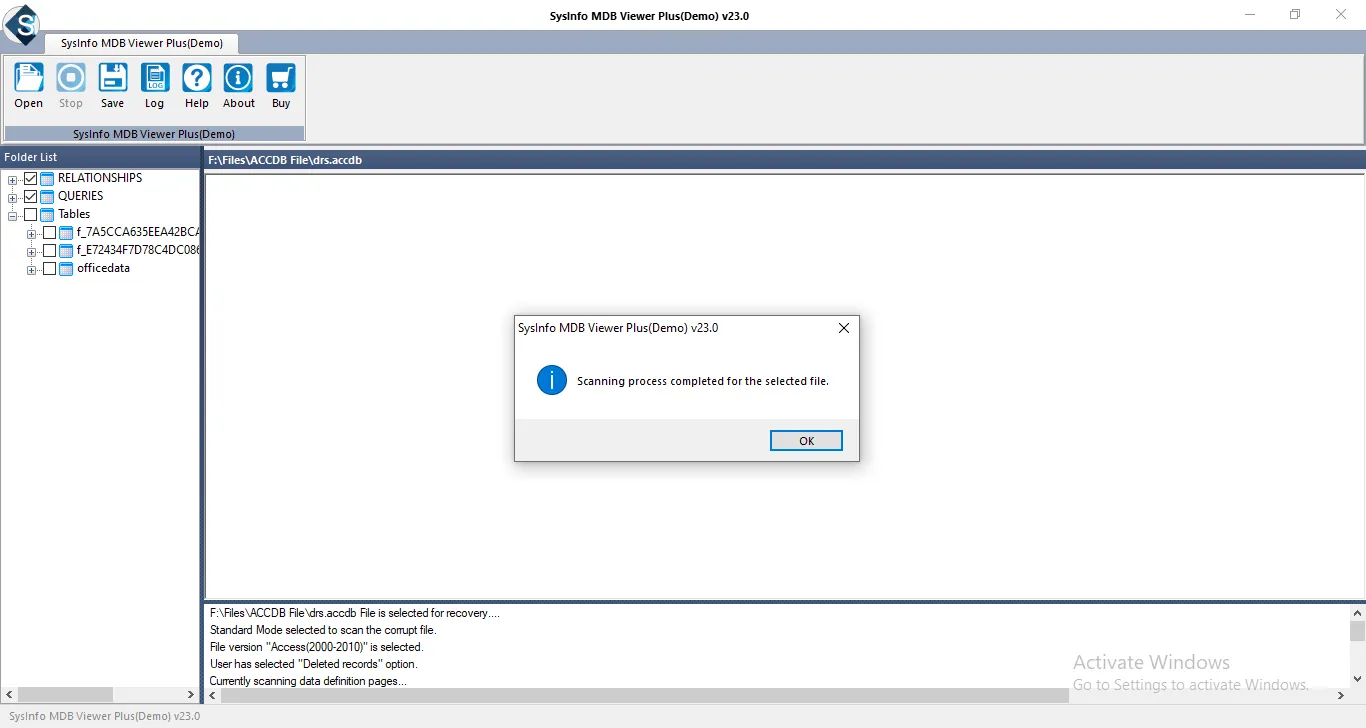
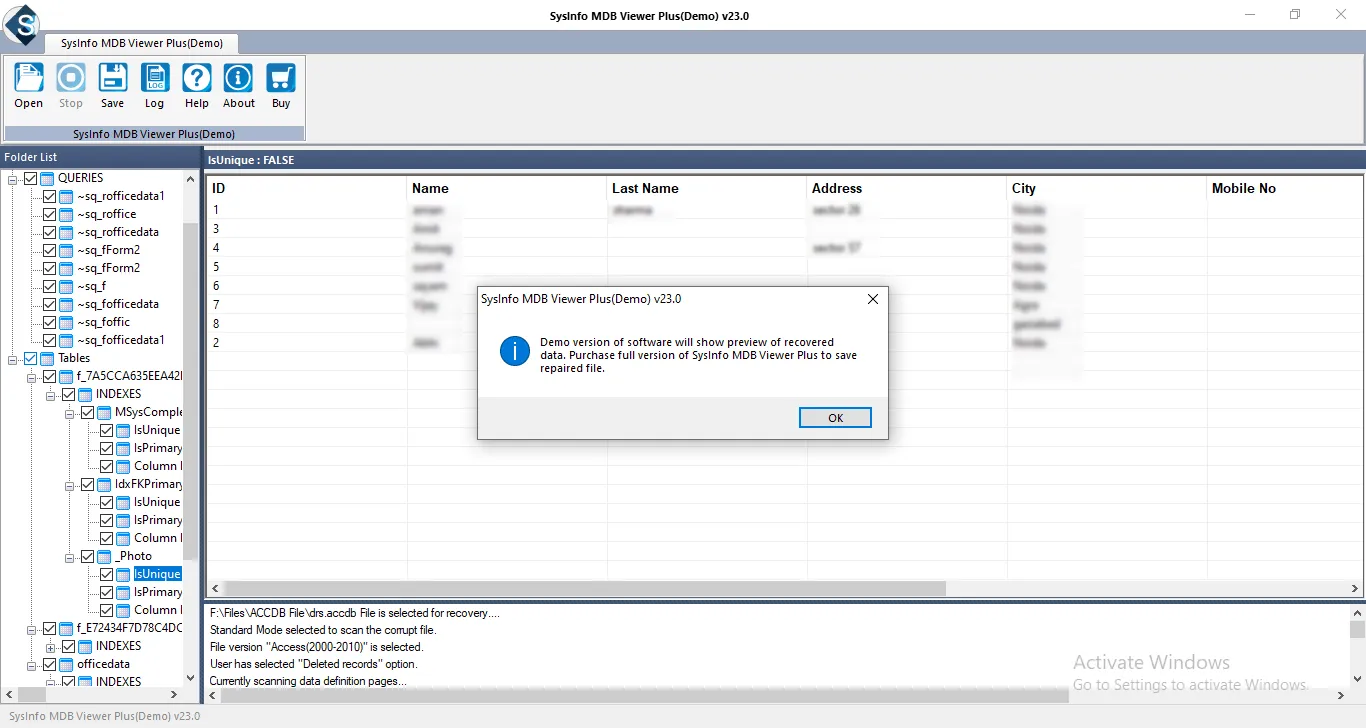
MDB/ACCDB Viewer Screenshot

To view full software guide, Click Here

Specs

Software Specifications

Version: 24.08
Size: 2.0 MB
Language: English
Edition: Home, Administrator, Technician, and Enterprise
Processor: Intel® Core™2 Duo E4600 Processor 2.40GHz
RAM: 8 GB (16 GB Recommended)
Hard Drive: 512 MB
Supported Windows: 11, 10/8.1/8/7/, 2008/2012 (32 & 64 Bit), and other Windows versions.
Trial Limitation: The trial version of the MDB Reader allows you to only preview and scan the recovered data. To save or export the recovered data, you need to purchase the full version of the tool.
Comparison

Difference Between Free MDB Reader & Full Version

Explore the detailed comparison between the trial and full versions of the MS Access Viewer

Features Available Demo Version Full Version
Import MS Access MDB or ACCDB files
Automatic scan mode to View or Read MBD files
Compatible with MS Access versions up to 2010
Compatible with all Windows versions, including Windows 10 and earlier.
Save or Download MS Access MDB/ACCDB files Only Preview
24*7 Technical Support
Download and Purchase Download Purchase
Faq

Frequently Asked Questions

Explore the troubleshooting queries and their respective solutions for this software.

Users can easily open & read MDB files without MS Access with Database File Recovery’s MDB Reader.

  1. Install MDB Viewer Tool on your computer.
  2. Then, open the program and select your MDB file.
  3. After that, choose scanning mode (Standard is recommended).
  4. Now, wait for the scan to complete.
  5. At last, Read the data in the left panel.

The MDF Viewer detects and recovers data from corrupted Access databases, providing partial previews.

Yes, Database File Recovery’s MDB file viewer supports opening ACCDB files. Along with that, MDB Reader free download helps users read ACCDB files.

No, Users can only view one Access database at a time with MS Access viewer. However, users can view system tables and delete records from Access databases.

Yes, Users can effortlessly recover corrupt Microsoft Access database files with Database File Recovery’s MDB Opener. However, if users want to save or download the repaired file, they need to upgrade to the Premium version of the software.

Testimonials

What Clients Say About MDB Reader?

Verified Customer Reviews by our clients for Database File Recovery MDB file viewer