Hyper-V Recovery

Hyper V Recovery Tool is one of the finest tools that help restore lost data from corrupt VHD/VHDX files.

Rated (4.9 out of 5) by 1080 Customers

Corruption of VHD files can lead to loss of data. Thus, Hyper V Backup and Recovery efficiently restore deleted and lost data from corrupt VHD/VHDX files. This software allows the user to preview their recovered data. It enables you to save the virtual hard disk image. In addition, this software supports various file systems like NTFS, HFS+, RAW, EXTX, FAT16, FAT32, and FAT64. Moreover, the software ensures secure recovery of data without alterations and can be easily operated by any kind of user.

Free Download   Purchase Now
  • Offers convenient recovery of lost data from corrupt VHD files.
  • Supports both types of partitioning systems like MBR and GPT.
  • Provides Standard and Advanced scanning mode to scan corrupt VHD files.
  • Enables preview of files, folders, and records before finally saving the recovered data.
  • Supports all kinds of file systems like RAW, NTFS, HFS+, EXTX, FAT16, FAT32, etc.
  • You get an option to save a virtual hard disk image at the desired location.
  • Allows you to choose the specific disk volume to recover the VHD file.
  • Widely compatible with various versions of Windows Operating System.
Features

The Salient Features of Hyper V Recovery Tool

Explore the exclusive and unique benefits of the VHD/VHDX Repair software.

vhdx data restoration

Quickly Repairs Corrupt VHD File

Hyper V Recovery Software is used to repair corrupt, damaged, and inaccessible VHD files. It allows the user to restore both the deleted and lost data from corrupt VHD files.

preview.webp

Offers File Preview

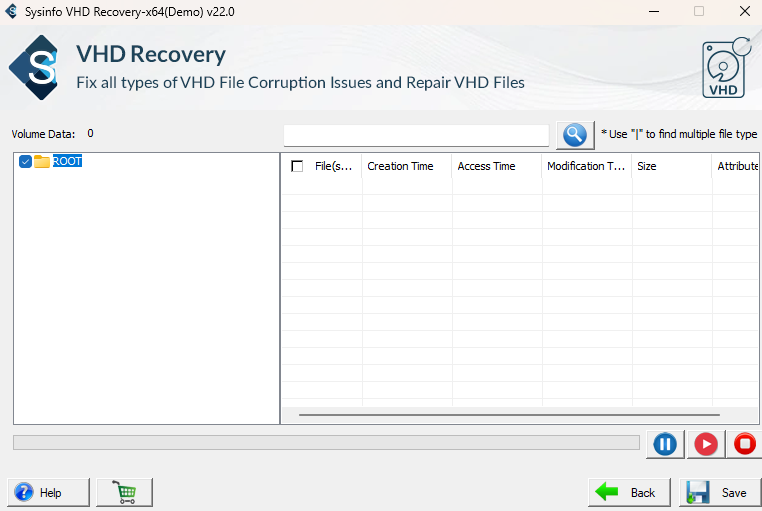
This software enables the tree structure preview, once you have recovered your virtual hard disk file. It is used to display all the folders and subfolders.

add

Add Custom Volume Option

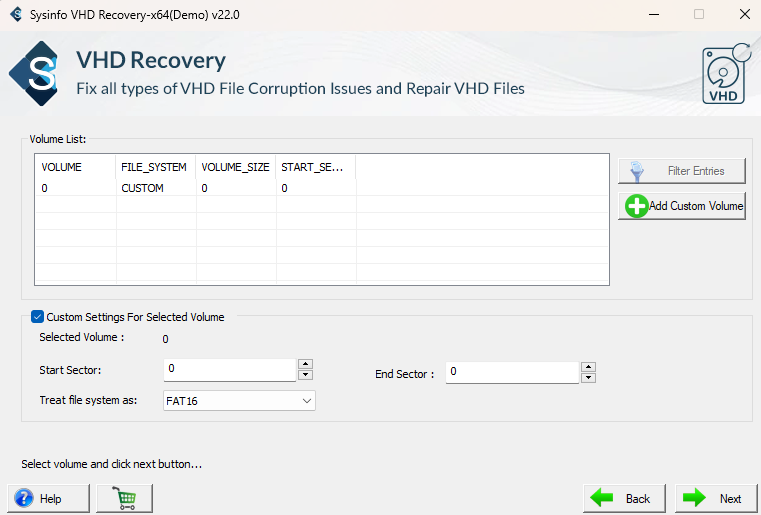
With this tool, you can Add Custom Volume for the selected VHD file. It also allows you to choose the file system. Moreover, define the start and end sectors of the volume.

dynamic disk types

Supports Various Disk Types

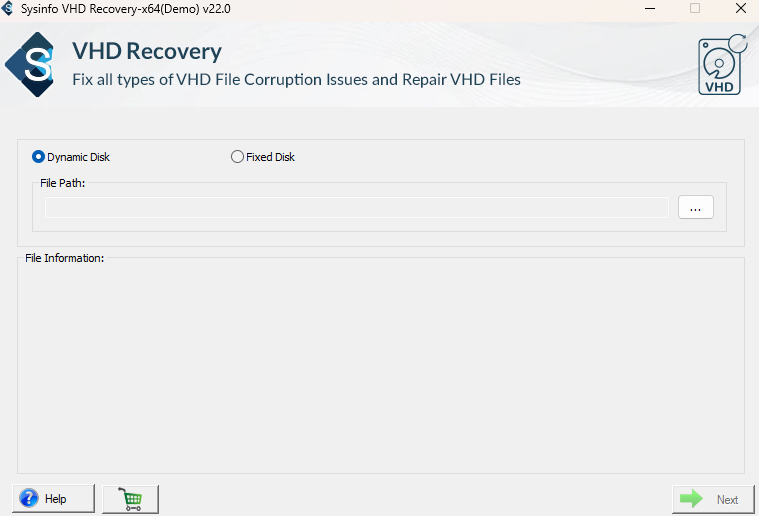
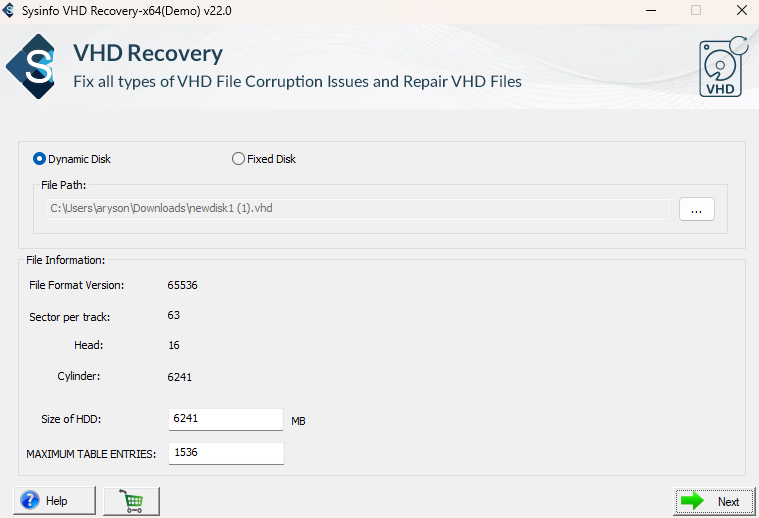
The tool supports the corrupted VHD files saved in a Fixed Disk and Dynamic Disk. Once you open the tool you will be given an option to select either one of them.

recover

How to Recover Hyper-V?

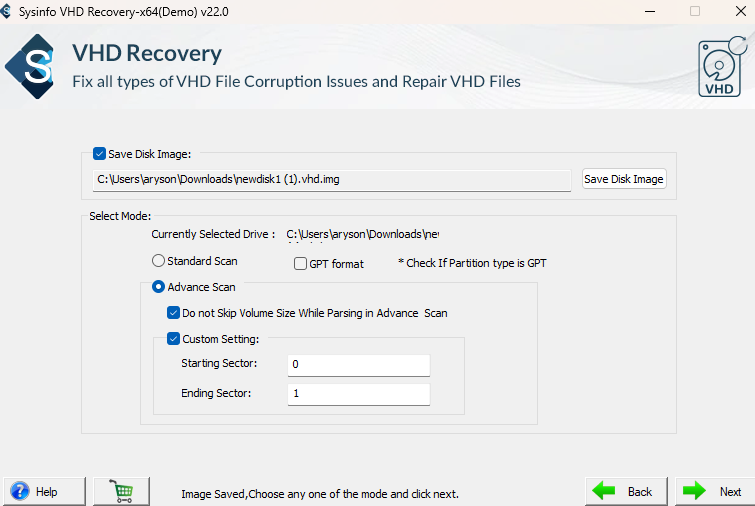
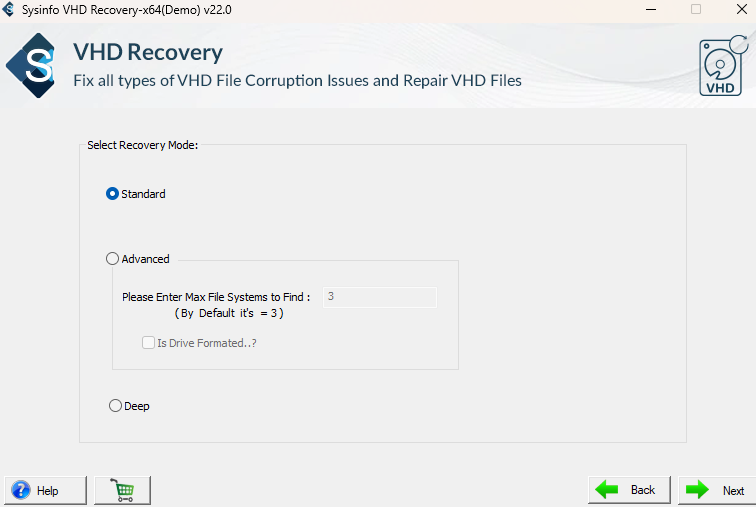
By using this tool, you get three different modes to handle the corruption. The tool offers Standard, Advanced & Deep modes of scanning as per the severity of corruption.

files support

Supports File Systems

In the tool, you get an option to choose multiple file systems for recovery. Some file systems supported by this tool are FAT16, FAT32, FAT64, NTFS, EXTX, HFS+, and RAW.

interactive user interface

User-friendly Interface

The software offers a simple and user-friendly graphical user interface. It also maintains the original hierarchy of the data. The tool can be run by any tech or non-tech user.

support windows and ms outlook versions

Wide Compatibility

The software runs perfectly on all the old and latest versions of Windows OS. Users with any version of Windows can perform Hyper V Recovery Software free download.
Screenshots

Hyper V Recovery Screenshot

To view full software guide, Click Here

Specs

Software Specifications

Version: 24.08
Size: 2.4 MB
Language: English
Edition: Single, Admin, Technician & Enterprise
Processor: Intel® Core™2 Duo E4600 Processor 2.40GHz
RAM: 8 GB (16 GB Recommended)
Hard Drive: 512 MB
Supported Windows: 11, 10/8.1/8/7/, 2008/2012 (32 & 64 Bit), and other Windows versions.
Trial Limitation: The trial version of the software allows you to only preview and scan the recovered data. To save or export the recovered data, you need to purchase the full version of the tool.
Comparison

Difference Between Hyper-V Recovery Free & Full Version

Find out the comparison of the Hyper-V Repair Demo and the Licensed Version.

Features Available Demo Version Full Version
Recover corrupt and damaged VHD file
Allows to save recovered data Only Preview
Offers Dual Scanning Mode
Supports Different File System
Supports All the Windows Version
24*7 Technical Support
Download and Purchase Download Purchase
Faq

Frequently Asked Questions

Find out the questions and their solutions related to the Hyper-V Backup and Recovery Tool.

You must have often wondered “How do I get out of Hyper-V?”. Yes, you can easily get out the files from it and restore the Dynamic VHD files supported by the Hyper-V Data Recovery Tool.

Yes, this software supports all the latest and old versions of Windows such as Windows 7, 8, 10, and 11.

Yes by using the Hyper V Disaster Recovery tool you can effectively restore data from both inaccessible and corrupted VHD files. Let’s go through the steps to learn and restore data :

  1. First of all, install and run the Hyper V Recovery Online Tool on your system.
  2. After that, choose the option Dynamic Disk and then select VHD files. Tap Next.
  3. Next, choose the Advance Scan mode, click on Next and scanning will start.
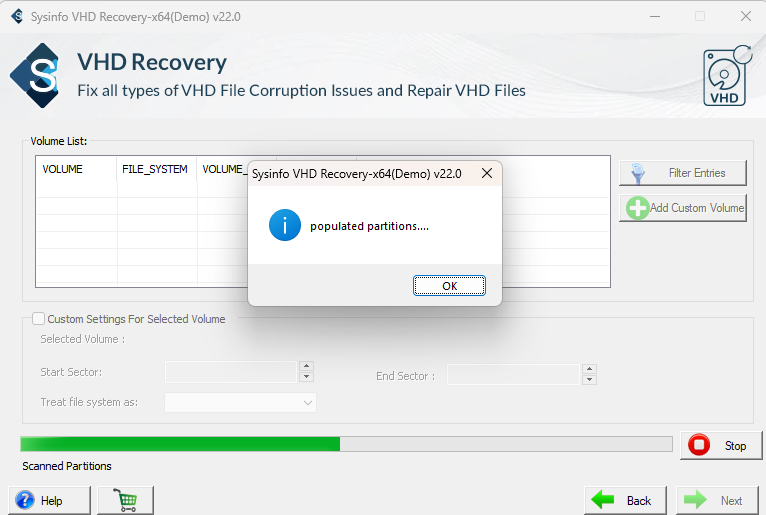
  4. Now, a pop-up will appear, select OK and later select Add Custom Volume
  5. Afterward, select Next and choose a desired recovery mode.
  6. Finally, click on the Next button and select the Save option.

No there are no file size restrictions to recover the lost data from corrupt VHDX files.

Yes, you can recover the complete data from the corrupted or damaged VHD file.

Testimonials

What Clients Say about Hyper V Recovery?

Verified Customer Reviews for the best Hyper V Recovery Online Tool.